What Is a Mobile Workstation?
A mobile workstation is a complete computing environment that travels with you and sets up in under a minute. For digital nomads and remote workers, it means your office is defined by your workflow, not a fixed desk. Sit down anywhere, connect to whatever screen is available, and be productive within sixty seconds. This guide walks through what setup you will need — starting with the most important question: what kind of traveler are you?
What Kind of Nomad Suits a Mini PC?
Not all digital nomads need the same setup, and the right computer depends entirely on your travel style. The nomad label covers two very different lifestyles — and only one of them benefits from a mini PC.
The High-Frequency Mover — Stick with a Laptop
If you take flights, trains, or buses every few days; work from cafes and airport lounges without external displays; and rely on battery life to get through the day, a laptop is the right tool. Integration matters when you have thirty seconds to pack and no guarantee of a desk or monitor at your next stop. The screen, keyboard, and battery are all in one place — and that is exactly what you need when every minute of setup time counts.
The Slow Traveler — A Mini PC Changes Everything
If you stay in one city for weeks or months; book apartments or long-term hotels; carry a portable monitor or use local displays; and work primarily from your accommodation — a mini PC delivers a fundamentally better experience. You are building a temporary home office that fits in a carry-on, with desktop-class sustained performance and multi-monitor support in a package smaller than most laptops.
Why a Mini PC Beats a Laptop for Slow-Traveling Nomads
For the slow traveler, a laptop gives you duplicate hardware. Its screen, keyboard, and battery are redundant when you already have a portable monitor and a desk with power. A mini PC invests every dollar into the computing core. Here is why.
Sustained Performance Over Peak Speed
Laptops are designed to deliver impressive short-burst performance — opening an application, exporting a single image, running a quick benchmark. But their thin chassis and limited cooling mean they throttle under continuous load. A mini PC, with more internal space for heat dissipation and no battery-driven power limits, runs at full speed for as long as the task requires. For video editing, code compilation, virtual machines, or data processing — workloads measured in hours — sustained performance means finishing the job without watching your frame rate or render speed slowly degrade.
Upgrade, Repair, Replace — Keep What Works
A laptop is a sealed ecosystem. Soldered RAM, glued-in batteries, and proprietary components make repairs difficult and expensive. A mini PC takes a different approach. RAM and storage are user-replaceable on most models. When storage runs low, swap in a larger drive. If a component fails, replace it — you do not need to replace the whole machine. For a digital nomad whose income depends on a working computer, the ability to fix or upgrade locally, without shipping the device across borders for service, is not a convenience. It is a business continuity plan.
Built for a Multi-Screen Desktop Workflow
Mini PCs are designed to stay connected. Multiple monitors, external drives, Ethernet, webcam, microphone — plug everything in once. A laptop can do the same through a docking station, but now you are paying extra and defeating the portability the laptop was supposed to provide. For programmers with dual displays or creators managing external storage, a mini PC is a desktop you can take with you.
Choosing Your Portable PC
Box Mini PC vs Foldable Keyboard PC
A box-style mini PC is compact, powerful, and affordable — current-gen processor, upgradeable RAM, fast NVMe storage. But it needs a separate keyboard and must stay plugged in. A foldable keyboard PC solves both: processor, memory, storage, battery, keyboard, and trackpad in one device that folds to pocket size. Both separate compute from display. Your choice depends on how minimal you want your bag.
Battery — The Feature That Changes Everything
Every box mini PC requires constant wall power. For a slow traveler in an apartment, that may be fine. But for a coffee shop, a park, or a train — anywhere without a guaranteed outlet — a built-in battery is transformative. A 60Wh battery delivers 8-10 hours of real-world use, enough for a full workday without hunting for power. This single feature turns a mini PC from a desk accessory into a genuinely mobile computer.
Performance for Remote Work
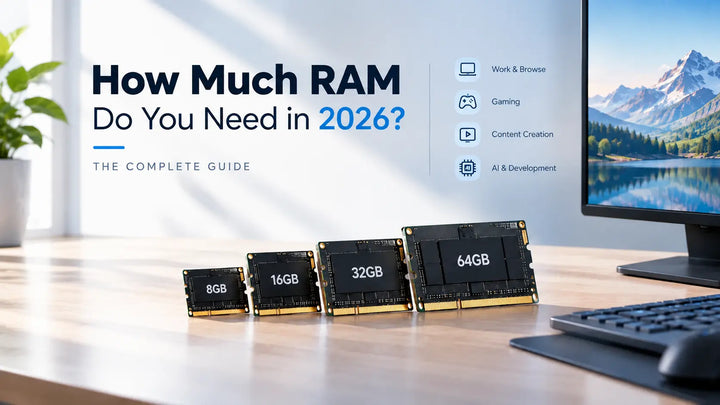
For documents, spreadsheets, video calls, and coding, a modern processor with 16GB of RAM is plenty. 32GB handles virtual machines and heavy multitasking. An AMD Ryzen 7-class processor drives multiple displays, light editing, and casual gaming. 1TB NVMe storage is the practical sweet spot.
The All-in-One Solution — Foldable Keyboard PC Works Better
A foldable keyboard PC fundamentally changes how a digital nomad interacts with their workspace. The Starole FoldPC illustrates why: a full AMD Ryzen 7 processor with Radeon graphics, up to 32GB RAM and 2TB NVMe storage, and a 60Wh battery — all inside a full-size keyboard with a trackpad. Folded, it is 153 x 112 x 33 mm, roughly a large smartphone footprint. Opened and connected to any screen, it is a complete workstation.
What makes this uniquely suited to nomads is what it eliminates. No separate keyboard. No mouse needed for navigation. No outlet needed all day. Arrive, place it on the desk, connect one cable to a monitor, and work. When it is time to move, fold it shut and go. The same device is your office at a co-working space, your entertainment on a hotel TV, and your coding station at home — the closest thing to a perfect mobile workstation.
Real-World Setup Examples
The Apartment Slow Traveler
Foldable keyboard PC connected to the apartment TV via HDMI. Wireless keyboard and mouse for desk comfort. A portable monitor as a second screen. Total setup under 4 pounds — feels permanent, packs in 90 seconds.
The Co-Working Space Regular
Foldable keyboard PC driving a 27-inch 4K monitor at a dedicated desk. External mechanical keyboard and ergonomic mouse. The PC disappears under the monitor. Unplug one cable and you are packed.
The Weekend Coffee Shop Worker
Foldable keyboard PC plus a 15-inch portable USB-C monitor and wireless earbuds. One cable connects everything. Pack time: 30 seconds. Order a latte and get to work.
FAQ
Can a mini PC replace my laptop for travel?
It depends on your style. If you move cities every few days and work without external displays, a laptop is better. If you stay in one place for weeks or months and work from a desk, a battery-powered mini PC replaces a laptop completely — with better sustained performance.
How do I handle video calls?
A compact USB webcam clips onto your portable monitor and typically delivers better quality than a built-in laptop camera. Many portable monitors also include integrated webcams.
What about Wi-Fi on the go?
Most mini PCs include Wi-Fi 6, sufficient for most locations. For unreliable connections, a compact travel router creates a private secure network from any public Wi-Fi or hotel Ethernet.
How much should I budget?
A capable mini PC: $500-$700. A good portable monitor: $150-$250. Peripherals: $50-$100. A foldable keyboard PC combines PC and keyboard in one purchase, typically $700-$1,200 — comparable to a mid-range laptop, with desktop-class expandability.