SSD vs HDD: Which Storage Should You Choose in 2026?

What Is an SSD and What Is an HDD?
An SSD (Solid State Drive) stores data on flash memory chips — the same technology inside a USB stick or smartphone. It has no moving parts, which makes it fast, silent, and resistant to physical shock. An HDD (Hard Disk Drive) stores data on spinning magnetic platters, read by a mechanical arm that moves back and forth across the surface — essentially a high-tech record player. That mechanical design gives HDDs huge capacity at a low price, but it also makes them slower, noisier, and more fragile. In short: SSD is the modern standard for speed, while HDD is the budget workhorse for bulk storage.
The Short Answer
For almost everyone in 2026, an SSD is the right choice for your main drive. It boots Windows in seconds, loads apps and games far faster, and makes the whole system feel snappy. An HDD is still worth having — but only as a secondary drive for cheap bulk storage like backups, media libraries, and archives. The sweet spot for most people: an SSD for your operating system and frequently used files, plus an HDD (or a larger SSD, if budget allows) for everything else.
SSD vs HDD at a Glance
|
Factor |
SSD |
HDD |
|
Speed |
500-7,000 MB/s |
80-160 MB/s |
|
Price per GB |
Higher |
Much lower |
|
Max capacity |
Up to 8TB+ |
Up to 20TB+ |
|
Lifespan |
5-10 years typical |
3-5 years typical |
|
Noise |
Silent |
Audible spinning/clicking |
|
Durability |
Shock-resistant |
Fragile to drops |
|
Best for |
OS, apps, games |
Backups, media archives |
How Much Faster Is an SSD?
The difference is dramatic — an SSD is roughly 5 to 40 times faster than an HDD in everyday use. A PC with an SSD boots Windows in 10-20 seconds, versus 1-2 minutes on an HDD. Apps open almost instantly. Games load in a fraction of the time. Large file transfers that take minutes on an HDD finish in seconds. It is not a subtle improvement — it is the single most noticeable upgrade you can make to an old computer, and the reason SSDs have become the default.
Do SSDs Fail? The Lifespan Question
This is the question that comes up most often, and the worry is understandable — SSDs work differently from HDDs, and people wonder if all that speed comes at a durability cost. The short answer: a modern SSD will typically last 5 to 10 years or more under normal use, and for most users, lifespan is not something you need to worry about.
The technical detail is that flash memory cells wear out after a limited number of write cycles. Manufacturers express this as a TBW rating (Terabytes Written) — the total amount of data you can write before the drive degrades. A typical 1TB consumer SSD is rated for 600 TBW, which means writing 300GB every single day for over five years. Real-world usage is a fraction of that. Unlike HDDs, which can fail suddenly from a mechanical fault or a drop, SSDs tend to degrade gracefully and give warning. The takeaway: if you are a normal user, an SSD will almost certainly outlast the computer it is in.
Are HDDs Still Worth It?
Yes — but for a specific job. An HDD's advantage is raw capacity per dollar. A 4TB HDD costs about the same as a 1TB SSD, and a 20TB HDD gives you storage that would be prohibitively expensive in SSD form. That makes HDDs the smart choice for cold storage: photo and video archives, media libraries, backups, and anything you access occasionally rather than daily. The classic setup is a dual-drive build — a fast SSD for your operating system and apps, plus a large HDD for your files. This gets you speed where it matters and capacity where you need it, at the lowest total cost.
SSD vs HDD for Gaming
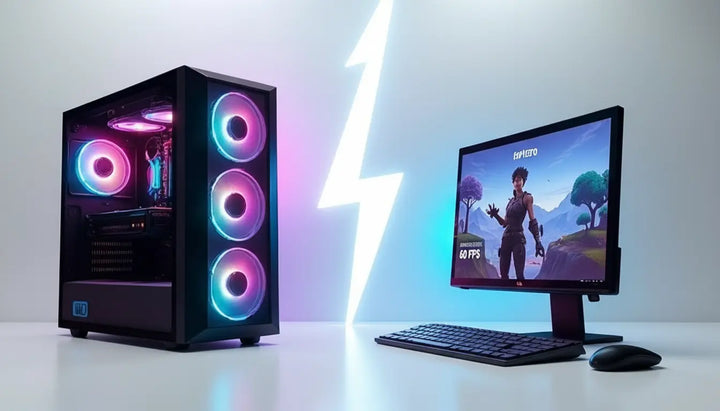
A common question is whether an SSD gives you more FPS. The answer is no — an SSD does not increase your frame rate, because FPS is determined by your GPU and CPU, not your storage. What an SSD does is dramatically cut loading times. Games stored on an SSD load levels in seconds instead of a minute or more, and open-world games stream in textures faster, reducing stutter and pop-in. For modern games, an SSD is strongly recommended — many 2026 titles list SSD as a requirement, not a suggestion. If you have a large game library, the ideal setup is a 1-2TB SSD for the games you play now, plus an HDD for older or rarely-played titles.
How Much Storage Do You Need?
|
Capacity |
Best For |
|
256GB |
OS + a few apps; very light use |
|
512GB |
OS + apps + a handful of games |
|
1TB |
The sweet spot for most users |
|
2TB |
Gamers with large libraries, creators |
|
4TB+ (or HDD) |
Media archives, backups, cold storage |
The Mini PC Angle — Why SSDs Are the Only Option
In a full-sized desktop, you have room for both an SSD and a large HDD. A mini PC changes the equation entirely. An HDD is a 3.5-inch spinning platter — too big, too heavy, and too power-hungry to fit in a compact chassis, and its heat and vibration are unwelcome in a device designed to be silent. Mini PCs therefore use SSDs exclusively, and modern ones use the small M.2 NVMe form factor — a drive the size of a stick of gum.
The Starole FoldPC is a good example. It uses a PCIe 4.0 NVMe SSD in the compact 2230 form factor, available in 512GB, 1TB, or 2TB. That choice is not about convenience — it is the only storage that fits inside a 770-gram foldable keyboard while delivering the speed, silence, and shock-resistance a portable device needs. When a device has to be pocket-sized and travel-ready, the HDD is simply out of the question, and the SSD's speed becomes a bonus rather than a feature to weigh.
FAQ
How long does an SSD last?
Typically 5 to 10 years or more under normal use. Most SSDs are rated for hundreds of terabytes written, far more than a typical user will ever reach.
Do SSDs fail over time?
Yes, but gracefully. Flash cells wear out slowly, and SSDs usually warn you before failing — unlike HDDs, which can die suddenly from mechanical faults or drops.
Is HDD still worth it?
Yes, for bulk cold storage like backups and media archives, where capacity per dollar matters more than speed.
Does SSD give more FPS?
No. FPS comes from your GPU and CPU. An SSD shortens load times and reduces in-game stutter, but it does not raise frame rates.
Can I replace an HDD with an SSD?
Yes, and it is the single best upgrade for an older computer. Cloning the drive and swapping it in typically makes an old PC feel dramatically faster.
Is a 256GB SSD better than a 1TB HDD?
For your operating system, yes — speed matters more. For bulk storage, the 1TB HDD wins on capacity. The best setup combines both.