Take Your Data Back: How to Run a Private Home Server on a Pocket-Sized Mini PC

Your photos, passwords, documents, and messages live on servers you do not own. Every time you sync to "the cloud," you are renting space on someone else's computer — one that can be mined for ads, locked, leaked, or handed to whoever asks. For remote workers and digital nomads, that trust gap is becoming impossible to ignore. The fix is not a return to filing cabinets. It is a small, quiet machine you own outright: a home server. And in 2026, it can fit in your pocket. Best of all, running one no longer requires a computer-science degree or a rack in your garage.
Why "The Cloud" Is Just Someone Else's Computer
The convenience of cloud storage hides a simple truth: your data does not actually live "in a cloud." It lives on hardware owned and operated by a company that controls how long it keeps your files, who it shares them with, and whether you can still log in after an algorithm flags your account. Cloud subscriptions keep climbing. Data breaches are routine. And for a digital nomad, the stakes are higher — public Wi-Fi, border crossings, and shared devices all multiply the surface area where private data can leak. One compromised café Wi-Fi session or one device left in a cab can expose everything you sync.
"Data sovereignty" sounds like policy jargon, but it means something simple: you decide where your data lives and who can touch it. A personal server is the most direct way to get there — a machine you control, running on hardware you physically hold. It is the difference between renting a storage locker you can be evicted from and owning the building.
What Is a Home Server — and Why Run One on a Mini PC?
A home server is just a computer you keep running that provides services to you instead of a third party. It can store and sync your files, host your own cloud drive, manage your passwords, stream your media library, and block ads across every device on your network — all without a monthly fee, and all without handing your data to a corporation.
Here is what a home server can replace:
|
What it does for you |
What it replaces |
|
Stores and syncs your files |
A cloud-storage subscription |
|
Manages your passwords |
A subscription password vault |
|
Streams your own media library |
Streaming subscriptions |
|
Blocks ads network-wide |
A privacy upgrade, not a swap |
For years, the default advice was a tower PC or a dedicated NAS box humming in a closet. A mini PC is now the better answer for most people. It uses a fraction of the power — often under 10 watts at idle, so it costs only a few dollars a year to leave running 24/7. It is silent, it runs cool, and it is small enough to hide behind a monitor or tuck into a bag. You can start with a single service — a password vault, say — and grow from there without ever replacing the hardware. And it is cheap to get into: a capable setup costs a couple hundred dollars up front — or nothing at all if you repurpose an old machine.
The Nomad Twist — A Server That Travels With You
Here is where the traditional "home server" advice falls apart for a digital nomad: if you are never home, a server bolted to your router is not much use. The real unlock is portability.
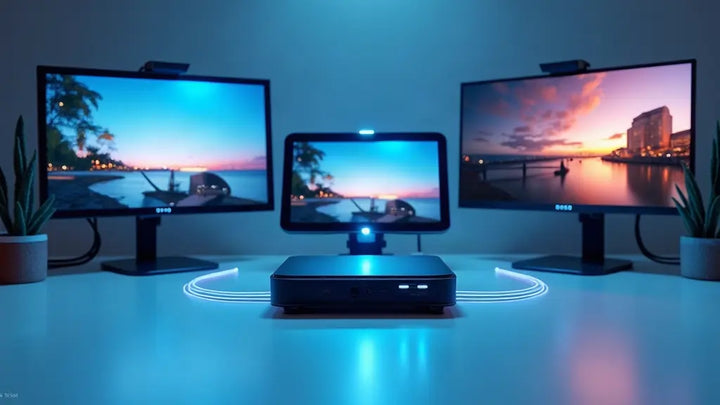
A pocket-sized mini PC with a built-in battery changes what a "server" can be. First, the battery acts as a built-in UPS — a power blip that would corrupt a conventional server simply does not touch it. Second, it travels. Your entire private cloud — files, password vault, backups — can ride in your bag instead of sitting in a checked suitcase, a hotel safe, or a stranger's computer. When you land, you plug it in and it is your own infrastructure again, anywhere on Earth. A photographer, for instance, can dump a full day's shoot onto the device in a hotel room, then sync it back to their home base once they are on reliable Wi-Fi — with no third party ever seeing the files.
|
|
Traditional home server |
Portable mini PC server |
|
Location |
Fixed at home |
Travels with you |
|
Power |
Needs a UPS |
Built-in battery = built-in UPS |
|
Size |
Tower or NAS box |
Fits in a pocket |
|
Best for |
Homelab enthusiasts |
Remote workers & nomads |
Harden Your Network — A Mini PC as Firewall & Privacy Gateway
Security is not just about where your files live; it is about what flows in and out of your network. Most people rely on the router their internet provider shipped — a device that stops getting firmware updates after a couple of years and was built to a price, not to a threat model.
A mini PC can replace that box with a real firewall. Load free, open-source firewall software onto it, and you get granular control over every connection: block the devices phoning home at 3 a.m., segment your smart-home gadgets onto their own network, and route your traffic through a VPN so public café Wi-Fi is no longer a risk. Add a network-wide ad blocker, and every phone, laptop, and TV in the house gets a cleaner, faster, more private connection automatically. It sounds intimidating, but most of the heavy lifting is handled by a simple setup wizard.
Run Local AI on Your Own Data
The newest reason to self-host is AI. Cloud chatbots are convenient, but every prompt you type becomes someone else's training data. A mini PC with a neural processing unit can run smaller, capable models entirely offline — summarize documents, draft emails, organize notes — without a single byte leaving your machine. Your data stays where it belongs: with you. And because the models run on a dedicated neural processing unit, the CPU stays free for everything else.
Take the Starole FoldPC as an Example
The idea of a portable, battery-powered server sounds niche until you see the hardware that finally makes it practical. The Starole FoldPC is a full AMD Ryzen 7 system with Radeon graphics, up to 32GB of memory, and a 60Wh battery — all folded into a keyboard the size of a large phone. At home, it can run a self-hosted cloud drive, a password vault, and a firewall appliance around the clock. On the road, the same machine slips into a bag and becomes your traveling data vault. One device, your data, everywhere you go — and no subscription required. When it is not on the road, it is the same quiet box that keeps your private cloud running at home, so you are not buying two machines for two jobs.
FAQ
What can you do with a home server?
The most common uses are self-hosted cloud storage, a personal password manager, media streaming, network-wide ad blocking, and a home firewall. You start with one service and add more as you get comfortable.
Do I need Linux experience to set one up?
Not anymore. Modern self-hosting software installs through friendly web interfaces, and many mini PCs ship ready to run. Basic comfort following steps is enough for the first few services.
How much power does a mini PC home server use?
Typically 6–10 watts at idle, which works out to roughly $6–$10 a year in electricity for a device you leave on 24/7 — far less than a repurposed desktop tower.
Can a mini PC replace my Wi-Fi router?
A mini PC firewall replaces the routing and security brains, but you will still want a wireless access point to broadcast Wi-Fi. The two together give you enterprise-grade control at home-office prices.
Is my data actually safer on my own server?
You trade a company's security team for your own responsibility. For most people, the bigger win is control and privacy: no one is scanning, monetizing, or locking you out of your own data but you.
How much does a home server cost?
A repurposed old PC or laptop costs $0–$100, while a mini PC — the sweet spot for most people — runs $50–$300 up front. A pre-built NAS box runs $300–$700 before drives, and a custom build can pass $500. A low-power mini PC idles at under 10 watts, adding only a few dollars a year to your electric bill.
Is a home server worth it?
If you already pay for cloud storage, a password manager, and streaming, the answer is usually yes — one small machine can replace several monthly fees and gives you full ownership of your data.
What do I need to set up a home server?
A small, always-on computer (a mini PC is ideal), a wired network connection, and free, open-source software. Start with one service and add more as you go — no rack, no server room, and no paid license required.
Can I host my own server at home?
Yes, and it is completely legal — that is all a "private cloud" is, with the hardware at your place instead of a data center. The only real limits are your internet upload speed and any provider rules about hosting public websites.