Mini PCs for Student Success: Why Compact Computers Are Ideal for Cramped Dorm Rooms and Studying

The Short Answer
For most students, a mini PC is a genuinely good choice — especially if you live in a dorm room with a small desk and a tight budget. It delivers desktop-level performance for writing papers, research, and streaming in a device the size of a book, and it often costs less than a comparable laptop. The trade-offs are real — you need a separate monitor and keyboard, and gaming is limited to lighter titles — but for the studying-focused student, those trade-offs are usually worth it.
Why a Mini PC Fits a Dorm Room
A dorm room desk is small, and every inch matters. A traditional desktop tower eats up floor or desk space, while a mini PC can be mounted behind a monitor or tucked into a corner, leaving the desk free for textbooks and notes. Budget matters too: students are often working with limited money, and a mini PC gives you more computing power per dollar than a laptop, because you are not paying for a built-in screen and keyboard you may not need. And for actual studying — writing essays, running research, watching lectures, and video calls — a mini PC handles everything a student needs without breaking a sweat.
What Are the Downsides?
Being honest about the trade-offs matters. A mini PC has three real limitations for students. First, it has no built-in screen, keyboard, or mouse — you need to buy those separately, or use what you already have. Second, its integrated graphics are fine for everyday work but will not run demanding AAA games at high settings; lighter games are playable, heavy ones are not. Third, the GPU is not upgradeable, so if you later want serious gaming or 3D work, you would be looking at a different machine. None of these are deal-breakers for a studying-focused student, but they are worth knowing before you buy.
Mini PC vs Laptop vs Desktop for Students
|
|
Mini PC |
Laptop |
Desktop |
|
Price |
Best value per dollar |
Higher (pays for screen) |
Can be cheap, bulky |
|
Desk space |
Tiny — mounts anywhere |
Small footprint |
Large, heavy |
|
Portability |
Good (needs a screen) |
Excellent |
None |
|
Performance |
Good for studying |
Good |
Best — max GPU |
|
Upgradeability |
RAM + SSD |
Limited |
Everything |
|
Best for |
Dorm room, budget |
Carrying between classes |
Gaming / heavy work |
How Long Does a Mini PC Last?
A decent mini PC will comfortably last through a four-year degree and beyond — typically five years or more. The components that usually age a computer, the RAM and storage, are user-upgradeable on most mini PCs, so you can extend its life by adding more memory or a larger SSD as your needs grow. Unlike a sealed laptop where a degrading battery or a cracked screen can end the machine, a mini PC has fewer things that can go wrong mechanically. For a student on a four-year budget, that longevity is a real advantage.
A Portable Option for Students
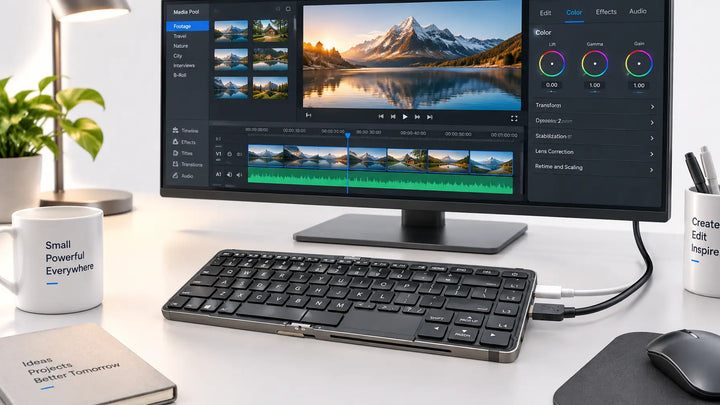
If your life moves between a dorm, a library, and a classroom, there is another option worth considering: a foldable keyboard PC. It packs a full computer into a keyboard with a built-in battery, so it folds to pocket size and works anywhere you can find a screen — a dorm monitor, a library display, or a classroom TV. It is not a requirement for student success, and a laptop or a traditional mini PC will serve most students perfectly well. But if you want a single device that covers both desk work and on-the-go studying without carrying a laptop and a charger separately, a foldable keyboard PC is one way to do it.
FAQ
Is a mini PC good for students?
Yes. For writing papers, research, streaming, and video calls, a mini PC delivers desktop-level performance at a lower price than a comparable laptop, and it fits easily on a small dorm desk.
What is the downside to a mini PC?
It has no built-in screen, keyboard, or mouse, its integrated graphics limit gaming, and the GPU cannot be upgraded. For a studying-focused student, none of these are usually deal-breakers.
What is the lifespan of a mini PC?
Typically five years or more. Because RAM and storage are user-upgradeable, you can extend its life further than a sealed laptop as your needs grow.
Is a mini PC as good as a normal PC?
For everyday tasks like studying, browsing, and streaming, yes — a mini PC is just as capable as a full-sized desktop. The only real difference appears in heavy gaming or 3D work, where a dedicated GPU matters.
What is the best PC for a college student?
It depends on your needs and budget. A mini PC offers the best value and fits small spaces; a laptop is best if you need to carry it between classes; a desktop is for gaming or heavy creative work.