Mini PC for Coding: Is It a Good Choice for Developers?

The Short Answer
Yes — a mini PC is an excellent choice for coding. For most development work, the hardware requirements are surprisingly modest, and a mini PC with a current-gen processor, 16GB of RAM (32GB if you run Docker or virtual machines), and a fast SSD handles everything from frontend to backend development comfortably. The real advantage is what you gain: a quiet, space-saving, energy-efficient machine that can run Linux, drive multiple monitors, and — on newer models — run AI coding assistants locally. If your work is writing, compiling, and shipping code, a mini PC gives you everything you need in a fraction of the space.
Can You Code on a Mini PC?
Absolutely. The hardware demands of most programming are far lower than people assume. Writing code in an editor, running a dev server, compiling a typical project, and pushing to git are all light on resources. A mini PC handles these tasks with ease — often using only a fraction of its CPU and memory. The one caveat is heavy compiled languages and large codebases: compiling a massive C++ or Rust project, or running a full microservices stack locally with Docker, benefits from more cores and more RAM. But for the overwhelming majority of developers, a mini PC is not just adequate — it is genuinely comfortable.
Do You Need a Powerful PC for Coding?
The honest answer is that it depends on what kind of developer you are. A frontend or mobile developer running an editor, a browser, and a dev server needs very little — even a modest mini PC is overkill. A backend developer running several Docker containers benefits from more RAM and a few extra cores. A game developer or someone working on machine learning models pushes the hardware further, and may want a machine with a stronger GPU. The key insight is that "coding" is not one workload — it is a spectrum, and a mini PC covers most of that spectrum comfortably.
How Much RAM Do Developers Need?
RAM is the spec developers should care about most, because it is the one resource that runs out first. 16GB is the practical baseline for everyday development — an editor, a browser with twenty tabs, a dev server, and git all fit fine. 32GB is the recommended sweet spot if you run Docker containers, virtual machines, or a local database alongside your editor, or if you use AI coding assistants that run models locally. Going above 32GB is rarely necessary unless you are running multiple VMs or very large datasets. For a mini PC, the 16GB vs 32GB decision is the single most important one you will make.
What to Look for in a Coding Mini PC
|
Spec |
Why It Matters for Developers |
Recommendation |
|
CPU |
Compilation and builds scale across cores |
Ryzen 7 with 8+ cores |
|
RAM |
Editors, Docker, and VMs eat memory |
16GB minimum, 32GB ideal |
|
Storage |
Fast builds and quick project loads |
512GB+ NVMe SSD |
|
Linux support |
Most developers run Linux at some point |
Well-supported hardware |
|
Ports |
Multiple monitors and peripherals |
USB-C + HDMI + USB-A |
|
Noise |
Long coding sessions need quiet |
Good cooling, low fan noise |
Mini PC vs Laptop vs Desktop for Developers
|
|
Mini PC |
Laptop |
Desktop |
|
Performance |
Good for most dev work |
Good, thermal-limited |
Best — max cores/GPU |
|
Linux support |
Excellent |
Good |
Excellent |
|
Multi-monitor |
Good |
Limited |
Best |
|
Portability |
Excellent |
Best |
None |
|
Upgradeability |
RAM + SSD |
Limited |
Everything |
|
Best for |
Most developers, small desks |
Developers on the move |
Heavy builds, GPU work |
The Developer's Edge — Local AI on a Mini PC
There is a lot of anxiety in the developer community about AI replacing programmers. The more accurate framing is this: AI is not replacing developers, but developers who use AI tools are becoming dramatically more productive — and you no longer need a cloud subscription to get that edge. A mini PC with an integrated NPU can run AI coding assistants locally, keeping your code private and eliminating monthly fees. It can also run Claude Code and Cursor, two of the most popular AI coding tools, entirely on-device.
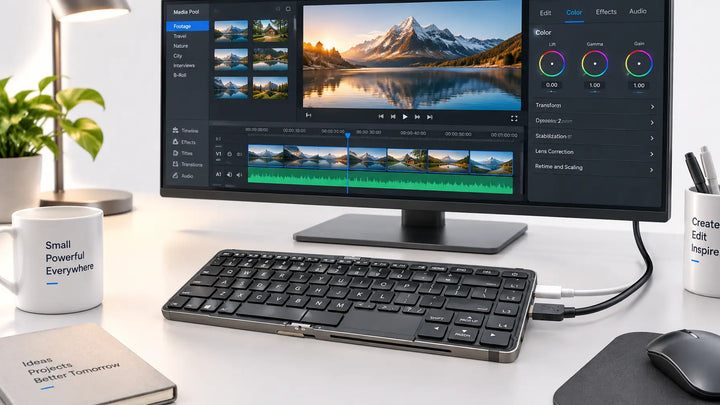
The Starole FoldPC is built around this idea. It pairs an AMD Ryzen 7 processor with a Ryzen AI NPU, up to 32GB of RAM, and full Linux compatibility — in a foldable keyboard that fits in a bag. You can run local AI models for code completion, keep your entire development environment on a device that travels with you, and connect to whatever monitor is available wherever you are working. For a developer who values privacy, portability, and the ability to code anywhere — from a hotel room to a coffee shop to a home office — a foldable keyboard PC with local AI is a genuine upgrade, not a compromise.
FAQ
Can I code on a mini PC?
Yes. A mini PC handles writing code, running dev servers, compiling typical projects, and version control with ease. Only heavy workloads like large C++ builds or multiple VMs push the hardware.
How much RAM do I need for coding?
16GB is the practical baseline. 32GB is recommended if you run Docker, virtual machines, or local AI coding tools alongside your editor.
Is a mini PC worth buying?
For developers, yes — it offers desktop-class performance in a quiet, space-saving, energy-efficient package, often for less than a comparable laptop.
How long do mini PCs last?
Typically 5 years or more. With user-upgradeable RAM and SSD, a mini PC can be extended further than a sealed laptop as your needs grow.
Do mini PCs overheat easily?
No. Most mini PCs use active cooling designed for sustained load, and their larger surface area relative to laptops helps heat dissipate more effectively.
Can a mini PC replace a desktop?
For most development work, yes. A mini PC handles everything a desktop can for coding — the only exception is work that requires a high-end discrete GPU.